
Your Google Business Profile, under control
Read reviews, respond thoughtfully, schedule posts, and find out when your listing changes — all from one dashboard. Multiple locations? No problem.
The problem
Managing your Google Business Profile is a scattered mess. Reviews come in and go unanswered. Posts get forgotten. Google makes edits to your listing without asking. And if you have multiple locations? Multiply the chaos.
The solution
Diviner One brings your entire Google Business Profile into one clean dashboard. See every review as it comes in. Respond without leaving the app. Schedule posts. Get alerts when your profile changes. Manage multiple locations without the chaos. And yes — you write every response yourself, because your customers deserve real words, not templates.
How it works
Connect your Google Business Profile
Link your GBP account in a few clicks. We use secure OAuth — we never see or store your Google password.
See everything in one place
Reviews, posts, profile details, analytics — all in your Diviner One dashboard. No more bouncing between tabs and tools.
Manage and respond
Reply to reviews, schedule posts, update profile info, and monitor changes. All from one screen. Multiple locations? Manage them all at once.
One dashboard to rule them all
Stop juggling tools. Everything you need to manage your Google presence lives right here.
Read & respond to reviews
See all your Google reviews in one dashboard. Respond thoughtfully without logging into Google separately. Never miss a review again.
Schedule GBP posts
Plan and schedule Google Business Profile posts ahead of time. Keep your profile active and fresh without the daily scramble.
Analyze review sentiment
Understand the themes and emotions behind your reviews. Spot trends, identify strengths, and catch issues before they become patterns.
Profile protection
We check your profile once a day and alert you when something changes — edits by Google, user suggestions, or category shifts. You find out from us, not from a customer who couldn't find you.
Profile protection
Your listing can change without you
Google edits business profiles on its own, and anyone can suggest a change to yours. Your hours get "corrected." Your category shifts. Your phone number becomes someone else's. Most owners find out when a customer tells them they turned up to a closed shop.
We check daily
A fresh snapshot of your profile every morning, compared against the last one.
You get told
Name, address, phone, hours, categories, attributes — if it moved, it's in your alert.
You put it back
Fix it from the same dashboard, before it costs you a customer who couldn't find you.
Included from the Builder plan up.
Your review dashboard
Multi-location posting
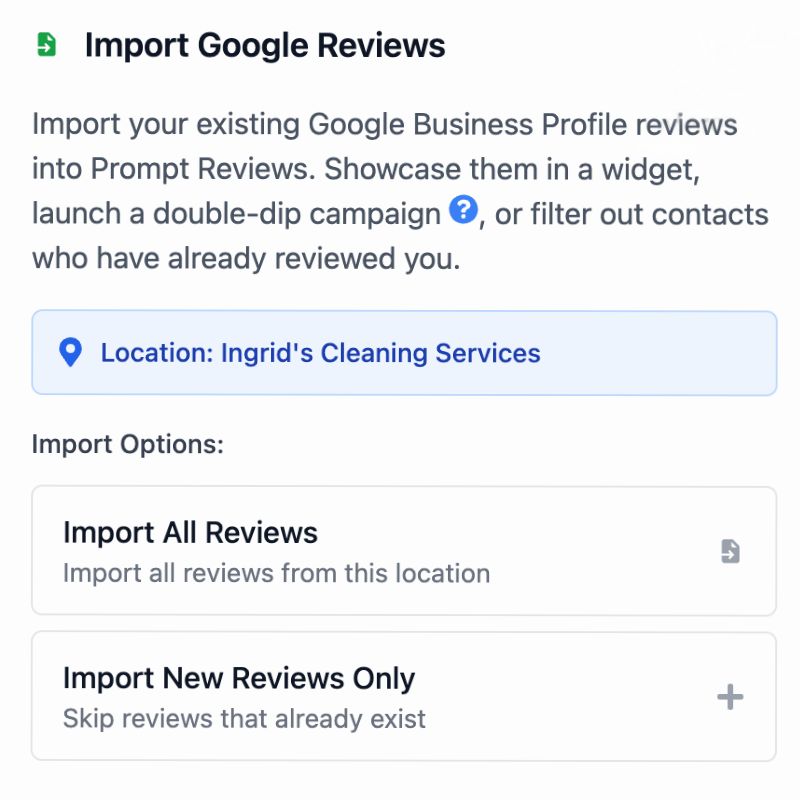
Import your existing reviews
Works with your AI assistant
Do this by asking, if you'd rather
Connect Diviner One to Claude or any MCP-compatible assistant and it can find reviews you haven't replied to, draft and post replies, pull your profile performance, and schedule posts — in your account, using your own API key.
"Which reviews from last month haven't I replied to? Draft a short reply to each of the five-star ones."
How the MCP connection worksFrequently asked questions
- Yes. If you have multiple Google Business Profiles, you can connect and manage all of them from a single Diviner One dashboard. Switch between locations, see reviews across all of them, and respond without logging in and out of different accounts.
- No — and that's a deliberate choice. Auto-responses feel impersonal and customers can tell. We believe every review deserves a thoughtful, human response. We make it easy and fast to respond, but the words are always yours.
- We track edits to your business name, address, phone number, hours, categories, and attributes. Google sometimes makes changes based on user suggestions or their own algorithms. You'll get alerts so nothing changes without your knowledge.
- Once a day. We take a fresh snapshot of your profile each morning and compare it against the last one, so a change surfaces within a day of Google making it. It isn't a live feed — if you've just edited your profile yourself, give it until the next check.
- It's included from the Builder plan up, along with location Prompt Pages, individual campaigns, and bulk team invitations. Everything else in Diviner One is on every paid plan.
- Yes. When you connect your Google Business Profile, we import your existing reviews so you have a complete history in your dashboard. You can also run 'double-dip' campaigns to re-engage past customers who haven't left a review yet.
Can I manage multiple locations from one dashboard?
Does Diviner One auto-respond to reviews for me?
What kind of profile changes do you monitor?
How often do you check for changes?
Is profile protection on every plan?
Can I import my existing reviews?
Take control of your Google presence
Connect your Google Business Profile in minutes. See reviews, respond, and manage — all in one place.